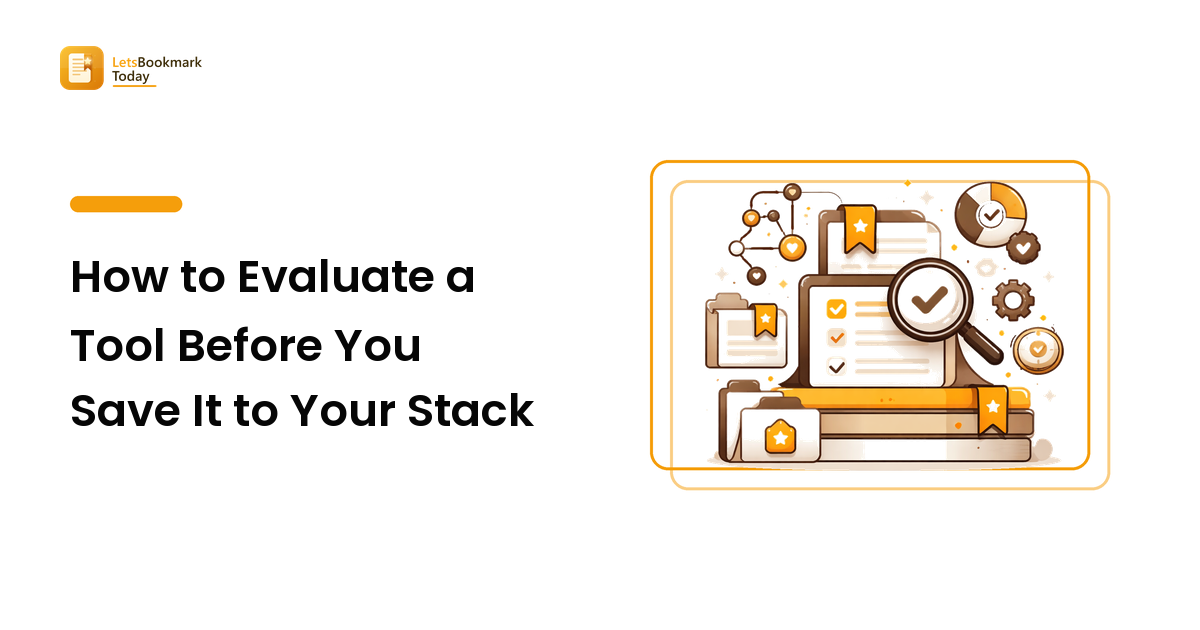
Evaluate a tool by testing it against one real job you have this week, not against its feature list. Check four things: whether it fits a job you already do, what switching would cost you, whether your data can leave later, and whether anyone is still maintaining it. A tool that fails a five-minute trial does not deserve a bookmark.
Most of us collect tools the way we collect articles — enthusiastically, and without a filter. The launch post looks impressive, the link goes into a folder called tools to try, and that is where it stays. This guide is the filter: a short, repeatable evaluation you can run in minutes so the tools you save are the ones you actually adopt.
Why do most saved tools never get used?
Because saving a tool feels like adopting it. Bookmarking scratches the same itch as trying — you have "handled" it, so the urgency disappears and the link joins the pile you never revisit. That is the collector's fallacy that buries saved articles, working exactly the same way on software.
There is a second, quieter reason: most tools are saved without a job attached. You see something clever, recognise it as clever, and save it in the abstract — no problem in mind, no moment when you would reach for it. A tool saved without a job has nothing to trigger its own retrieval, so it sits there being permanently promising.
The fix is to stop treating "this looks good" as a decision. It is a nomination. The evaluation below turns a nomination into a keep or a cut.
What should a tool prove before it earns a bookmark?
Four checks, in this order. The order matters because each one is cheaper than the next — fail early and you save yourself the trial.
- Does it map to a job you already have? Name the task out loud: "this would replace the spreadsheet I update every Monday." If you cannot finish that sentence with something you did in the last month, the tool is interesting, not needed. This single question cuts more candidates than the other three combined.
- Is it clearly better than what you do now — or just different? Novelty reads as improvement. Ask what specifically gets faster, cheaper, or less error-prone, and by roughly how much. "Slightly nicer interface" is not a reason to move a workflow.
- What does switching actually cost? Count the real price: importing existing data, learning it, changing a habit, and dragging anyone else along with you. A tool that is 20% better but takes a week to move into is a bad trade for most people.
- Can you get your data back out? Check for a plain export — CSV, JSON, Markdown, HTML — before you put anything meaningful in. A tool you cannot leave is a tool that stops having to earn you.
Which signals actually predict whether a tool sticks?
Feature lists are marketing; the signals below are evidence. Use this as a reference table when a candidate is close to the line.
| Signal | What to check | What a fail looks like |
|---|---|---|
| Job fit | Can you name the exact task it replaces? | "Might be useful someday" |
| Real improvement | What gets faster, cheaper, or safer — and roughly how much? | Only the interface is nicer |
| Switching cost | Import time, learning curve, habits and teammates to move | A week of migration for a small gain |
| Data portability | A documented export in an open format | Data only viewable inside the app |
| Pricing honesty | Full pricing page, clear free-tier limits, no surprise per-seat math | Pricing hidden behind "contact us" for a solo plan |
| Maintenance | Recent releases, a changelog, responsive support or issue tracker | Last update long ago, unanswered issues |
| Fit with your stack | Does it connect to the two or three tools you already live in? | A new silo you must remember to open |
| Trial friction | Can you reach a real result without a sales call? | Demo-gated, or a credit card before you see anything |
None of these is a veto on its own. Together they tell you whether a tool is a product someone is running or a launch someone shipped.
How do you run a five-minute trial?
Give the tool one real task and see if it finishes. Not the demo data, not the tour — your task, from this week.
Pick the smallest genuine job that represents the use case, then time-box it. Sign up, do the thing, stop at five minutes. If you got a real result, the tool cleared the bar that matters most: usable without a study session. If you are still hunting for the button, that friction does not disappear later — it is what makes you quietly stop opening it in week three.
Two rules keep the trial honest. Don't import everything yet; move enough to be representative and no more, so an early cut costs you nothing. And write one plain sentence about what happened — "did the job, but export is paid-only." That is the same habit good curators use when annotating any pick, covered in the curating and sharing guide: if you cannot write an honest sentence about why something is in, it is out.
Where should a tool live once it passes?
Passing a trial is not the same as being adopted, so file it accordingly. Keep three states and be honest about which one applies:
- In the stack. You use it in a real workflow. It gets a permanent home wherever you work, not a bookmark folder.
- On the bench. It passed but you don't need it yet. Bookmark it with the job attached — tag it by the problem it solves, not the tool's category — so it surfaces when that problem returns. The tagging guide covers building a vocabulary that scales.
- Cut. It failed. Delete the link. An unreliable "maybe" pile is worse than none, because it makes the whole collection unsearchable.
The bench is where this evaluation pays off. A saved tool with a stated job and a one-line verdict is retrievable; one with a URL and a hopeful folder name is not — the core reason saved links never get revisited.
What are the red flags worth walking away from?
- No export, no exit. If your data can only be read inside the app, every future decision is made under duress.
- Pricing you can only get on a call. For an individual or small team, opaque pricing is a signal the product is not built for you.
- A changelog that stopped. Tools go quiet before they go away. Silence is your warning.
- It requires everyone else to move too. Anything that needs a team to change habits is a project, not a tool — evaluate it as one.
- It solves a problem you invented while reading the landing page. The most common failure mode, and the hardest to notice from inside.
How many tools should your stack hold?
Fewer than you think. Every tool carries a standing tax: another login, another place to check, another thing to keep in sync. The practical test is whether you could describe your stack from memory — if you cannot, some of it is not in use, it is just installed.
A useful discipline is one-in, one-out for overlapping tools. When a new candidate does the job of something you already run, adopt it properly or don't adopt it at all; running both means you now check two places for the same information. That is how a good stack quietly becomes an expensive one. The same fit-over-features logic applies when picking the place your links live, which is the subject of the bookmark manager buying guide.
FAQ
How long should I test a tool before deciding?
Five minutes to decide whether it is usable, and about two weeks to decide whether it sticks. The short trial answers "can I get a real result without a manual?" — the question most tools fail. The two-week window answers the harder one: do you reach for it unprompted? If you still have to remind yourself to open it after fourteen days, it has not become part of a workflow.
Should I bookmark a tool I might need later?
Yes, but only with the job written next to it. A bare link to a promising tool is unretrievable, because in six months you will search for the problem, not the product name. Save it tagged by the problem it solves, with one sentence on what it does.
How do I evaluate a tool with a generous free tier?
Free changes the switching cost, not the evaluation. Run the same checks, and pay particular attention to where the free tier ends — that limit is the real product decision. Check the export before you rely on it, too: portability is what keeps a change of terms from becoming your problem.
What if a tool is great but I have nowhere to use it?
Put it on the bench and move on. A great tool without a job is not an adoption decision, it is a note to your future self — so record it like one. Adopting a tool in search of a use case is how stacks bloat: you shape work around software instead of the reverse.
Do I need to re-evaluate tools I already use?
Once or twice a year, briefly. Ask of each: would I choose this again today, and is it still maintained? Most pass in seconds. The value is catching the two that quietly stopped being maintained or stopped matching how you now work.
Start with the tools you already saved
Evaluation is not about finding more tools; it is about being decisive with the ones in front of you. Open the folder where hopeful links go, take the last five, and run each through the five-minute trial: name the job, test it once, write the verdict, then keep, bench, or cut. For a curated starting point instead of a raw pile, browse the best real tools by category at Lets Bookmark Today.