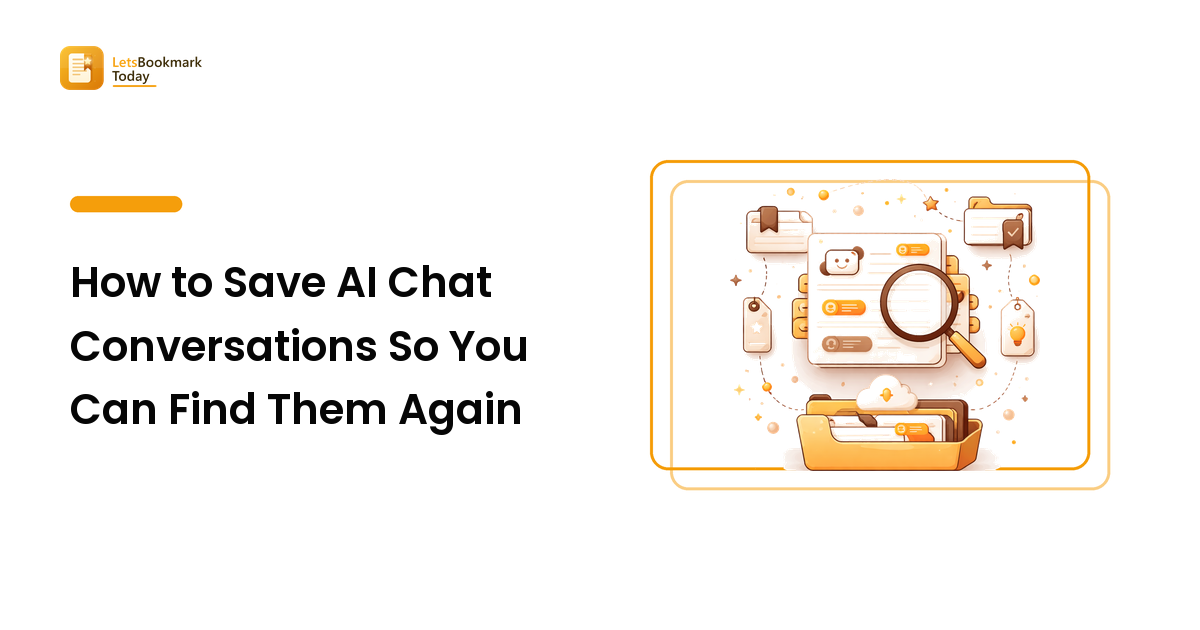
Save the answer, not the link. An AI chat kept only as a share URL is a bookmark to someone else's server — it can be revoked, edited, or quietly rotted, and its contents are invisible to every search you run. Copy the useful part into plain text, give it a title that names the question you asked, and tag it by the problem it solved. That single habit turns a scrolling sidebar into something you can actually query.
If you use an AI assistant most days, you already have a second bookmark problem you never signed up for. Somewhere in that sidebar is the exact regex that worked, the itinerary that took four rounds to get right, the explanation of a concept that finally clicked. You know you had it. You cannot find it. So you ask again, get a slightly different answer, and lose another ten minutes.
Why AI chats get lost even though nothing is deleted
Everything is still there — that is the frustrating part. The failure is retrieval, not storage, and it comes from three specific gaps.
Chat titles are auto-generated and nearly useless. Assistants name a thread from your opening line, so you end up with a column of near-identical labels like "Help with a spreadsheet formula" and "Question about a formula." Nothing in that list tells you which one contained the answer that worked.
The good answer is buried in the middle. Real chats are iterative. Turn one is wrong, turn four is close, turn seven is the keeper. The thread preserves all of it in order, which means finding the answer later means re-reading the argument you already had.
Search inside chat apps is shallow. Most assistants now offer some form of history search, but it looks at the conversation you remember well enough to describe. What you usually remember six weeks later is the problem — "the thing about splitting a CSV" — not the phrasing you used.
That is the same failure mode that buries ordinary saved links, and it has the same root cause: things get captured without any handle you would actually reach for later. AI chats simply produce the pile faster.
Decide what is worth saving in the first place
Most chats are disposable and should stay that way. Saving everything recreates the sidebar somewhere else, only now it is your problem to maintain.
A chat earns a place in your library when it meets one of these tests:
- It took work to get right. Several rounds of correction produced something better than a first-shot answer. That refinement is the value; re-running it from scratch will not reproduce it.
- You will hit this problem again. Recurring tasks — a formula pattern, a template, a checklist, a piece of code — are worth capturing once and reusing.
- It contains your own inputs. Anything where you pasted in real context (your data, your constraints, your draft) is unique to you and cannot be regenerated by asking a generic question.
- You need the reasoning, not just the output. For research, the "why" is the part you will want to check later.
Everything else — quick factual lookups, throwaway rewrites, questions you could ask again in five seconds — gets no save at all. Being ruthless here is what makes the rest findable.
Where to put a saved chat, and the trade-offs
There is no single correct destination, but the choice has consequences. Rank them by how much you need the content to be searchable and durable.
| Where you save it | Good for | The catch |
|---|---|---|
| Plain text or Markdown in your notes app | Almost everything; full-text search works | Requires copy-paste and a moment of trimming |
| A bookmark manager with saved page text | Chats you want alongside your other saved research | Only useful if the tool stores the text, not just the URL |
| The assistant's own share link | Sharing with someone else, fast | You do not control it; formatting and access can change |
| A screenshot | Visual output, layouts, images | Not searchable text; the worst option for anything word-based |
| The assistant's built-in bookmark or project feature | Staying inside one tool | Locks the content to that vendor's search and export |
The pattern that survives longest is boring: plain text, in a place you already search. If your saved articles live in a bookmark manager and your notes live in a notes app, put chats where your other research lives so you search one place instead of three. The research library guide covers that consolidation in more depth.
A five-minute capture routine
Do this at the moment the chat works, not later. Later never comes.
- Trim to the keeper. Copy the answer that actually worked plus your prompt that produced it. Skip the failed turns unless the failure itself is instructive.
- Title it as the question, in your own words. Not "AI chat about SQL" but "How to de-duplicate rows in a CSV while keeping the newest." Write the phrasing you would type into a search box in three months — that is the whole trick.
- Add one line of context. What you were working on, and whether the answer was verified. "Used this for the Q3 report; tested and it worked" is worth more than any tag.
- Tag by problem, not by tool. A tag like
aiis useless once everything is from an AI. Tagcsv,pricing,onboarding-email— the thing you will be thinking about when you need it back. This is the same vocabulary principle in the tagging guide. - Keep the share link as a footnote, not the record. Paste it at the bottom in case you want the full thread. It is a convenience, never the copy of record.
The whole loop is well under five minutes for a chat worth keeping. If a chat is not worth five minutes, it was not worth saving.
Export your history before you need it
Separate from day-to-day capture, take one bulk export of your chat history as a safety net. The major assistants offer a data export in account settings that emails you an archive; some also let you push a single conversation into a document. Run it once, drop the archive somewhere you back up, and repeat every few months.
Two honest caveats. A bulk export is an archive, not a library — the files are rarely pleasant to browse, so treat it as insurance rather than your retrieval system. And check what your export actually contains before relying on it, because coverage differs between products and changes over time.
Handle sensitive content deliberately
Chats often carry more of your working context than a normal bookmark does: client details, draft strategy, personal information, unreleased work. Two rules cover it. Never use a public share link for anything private — a share link is a published page, and anyone with the URL can generally read it. And when saving into a shared team space, strip the parts that were only ever meant for you.
Turn saved chats into something you reuse
The highest-value chats stop being conversations and become assets. When you notice you have saved three variations of the same request, that is a prompt worth promoting: rewrite it as a clean, reusable prompt with placeholders for the parts that change, and save that instead of the transcripts.
Do the same for outputs. A chat that produced a good outline, checklist, or template should end up as the outline, checklist, or template in your notes — with a line recording where it came from and whether you checked it. At that point you are no longer maintaining a chat history; you are maintaining a small library of things that work, which is the same shift described in the save-for-later guide for reading queues.
FAQ
Should I save the whole conversation or just the answer?
Just the answer, plus the prompt that produced it — that pair is what you will reuse. Keep the full thread only when the reasoning matters, such as research where you need to see what was ruled out and why. Full transcripts are long, repetitive, and make your search results worse by flooding them with the parts you did not want.
Are AI share links safe to bookmark?
They are fine for sharing and poor for keeping. A share link is a page hosted by the assistant's provider: it can be revoked, it may change format, and anyone who obtains the URL can typically read it. Bookmark it if you like, but keep the text of anything you actually depend on.
How do I find an old chat when I cannot remember what I asked?
Search for the problem, not the phrasing — the domain word, the file name, the project. If that fails, search your own notes rather than the chat app, which is exactly the argument for copying keepers out. Sorting history by date and narrowing to the week you remember working on it is the usual fallback.
Do I need a separate tool for this?
No, and adding one usually makes it worse. Use whatever you already open every day — your notes app or your bookmark manager. A dedicated AI-chat archive is one more place to check, which is the thing that quietly kills every capture habit.
How often should I clean out saved chats?
Quarterly, quickly. Open the collection, delete anything you have not touched and cannot imagine touching, and promote anything you have reused twice into a proper template. Fifteen minutes keeps the collection trustworthy, and a trustworthy collection is one you keep searching.
Start with the three you keep re-asking
You already know which chats they are — the ones you have re-run from memory because finding the original felt harder than asking again. Take those three now: copy the working answer, title it as the question in plain words, add one line about where you used it, and tag it by the problem. That is your library started. When you want a curated shortcut to the assistants and capture tools worth trying next, browse the best AI tools in our directory.